
How to Nail the SID Frequency Puzzle in Avatar: Frontiers of Pandora (No Sweat!)
Master SID's frequency alignment in Avatar: Frontiers of Pandora with this quick, frustration-free guide to Find the Frequency.
Hey there, fellow Na'vi wannabe! If you've just got your hands on that quirky little gadget called SID in Avatar: Frontiers of Pandora and are scratching your head over the "Find the Frequency" objective, you're not alone. I still remember back in 2023 when this game dropped, I was lost for a solid ten minutes just trying to figure out what the heck SID even wanted from me. Now it's 2026, and while most of us have moved on to newer titles, I still see new players wandering Pandora's stunning landscapes, completely stumped by this early mission. So let me walk you through it like I'm right there beside you—because honestly, this tiny device is one of the most adorable puzzle buddies you'll ever use once you get the hang of it. 🎮🌿
First Things First: Unlocking SID and Taking It Out
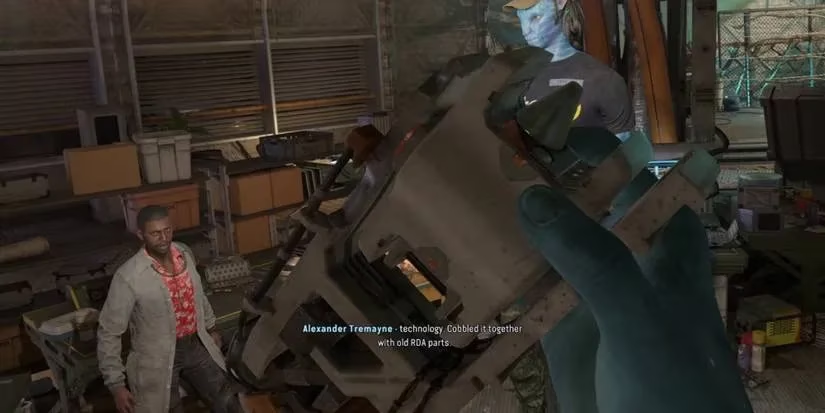
You'll get SID—short for Systems Interrogation Device—during the main mission called "Welcome to the Resistance." After a chat with Alexander Tremayne, he'll hand you this nifty tool, and it automatically slides into its own dedicated equipment slot. No inventory juggling needed, thank Eywa!
To whip out SID, here's a quick cheat sheet across all platforms:
| Platform | Controls to Equip SID |
|---|---|
| PC | Press 5 |
| PS5 | Hold L1 and press Triangle |
| Xbox | Hold LB and press Y |
Once SID is in your hands, don't just stare at it. Hold down your interact button (on PC it's usually E by default) while aiming at the floor, and—boom!—the ground lights up with glowing wires snaking underneath. It's like having X-ray vision straight out of a sci-fi movie, only this time you're the Na'vi tech whisperer.
The Main Attraction: Finding the Frequency (Without Losing Your Mind)
Okay, so here's where things get real. Alex wants you to repair some faulty nodes, and SID is your magic wand. The first step is to look directly underneath Alex. Yep, right at his feet. You'll see a vibrant green wiring starting there. Consider that your north star.
Now, follow that green line. I mean literally trace it with your eyes—SID makes it super obvious because the floor turns into a neon roadmap. Eventually, you'll stumble upon a terminal that's not playing nice; it'll have a yellow wire sprouting out of it. That's your first target. Aim SID at the terminal, then hold down your left mouse button (or whatever your shoot/action button is). A little interface will pop up: a fixed green circle and a big adjustable grey circle surrounding it. This, my friend, is the frequency alignment mini-game.
Here's where the fun begins. You control the grey circle. Tap Q to shrink it, E to widen it. Your mission? Make the grey circle overlap the green one perfectly. But don't sweat it—the circles snap together once they're close, so you don't need surgeon-level precision. The first time I did this, I was holding my breath like a dum-dum, only to realize it practically auto-completes. 😅
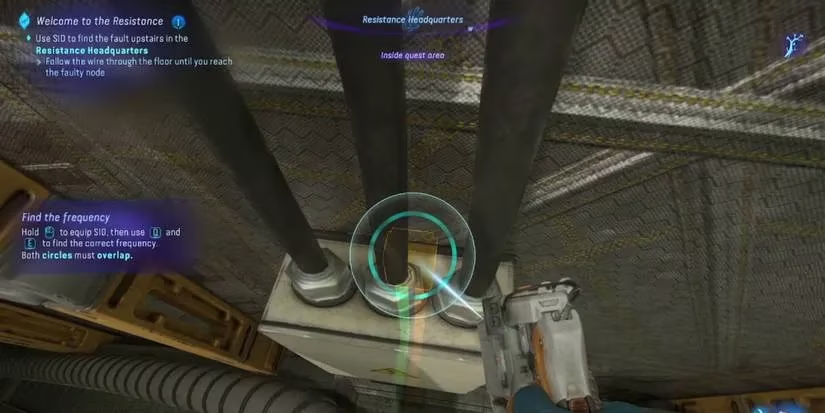
Once you nail it, the yellow wire turns a healthy green. Magic! Now new green lines branch upward, so just keep following them with SID active. You'll encounter a second faulty node—repeat the circle dance—and that line also goes green. Trust the process; SID won't steer you wrong.
After fixing both nodes, the newly green wiring will lead you to a computer terminal. This one's special because you'll see a little hacking icon floating above it, like a neon invitation to some digital mischief.
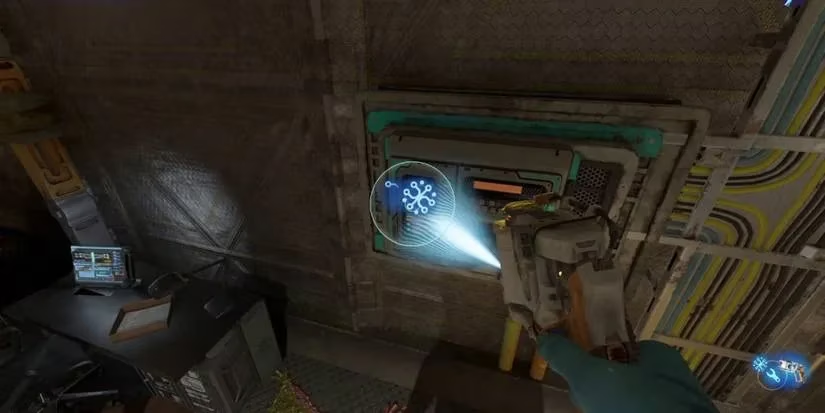
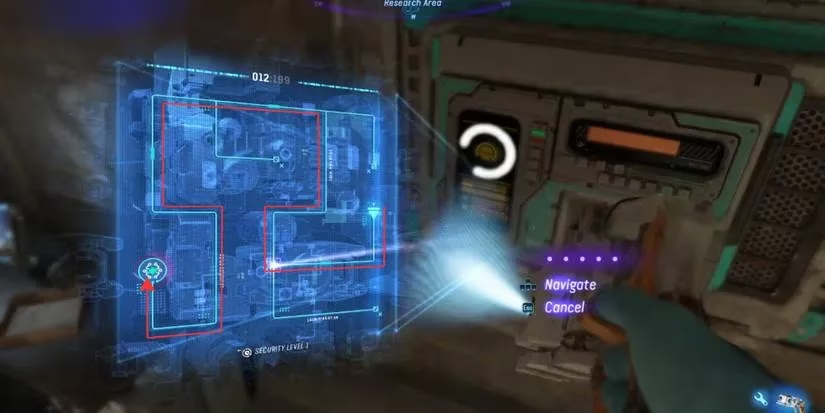
Here we go again: aim SID at the terminal, hold the interact button, and align those two circles just like before. This time, solving the alignment opens up the actual hacking interface. The rule is dead simple: you've got to guide a cursor along a path to the end before the timer at the top runs out. Since this is an introductory hacking tutorial, the path is a straightforward snake of arrows—no tricky forks or pressure plates. Just follow the on-screen directional cues with your movement keys (WASD or controller stick). It's basically a fidget toy compared to the puzzles later in the game, so enjoy the gentle intro.
Why SID Deserves a Spot in Your Heart (and Your Hotbar)
Beyond this mission, SID becomes your go-to for almost every environmental puzzle in Pandora. It's not just a one-trick pony; it's like having a loyal little detective that always helps you spot hidden shortcuts, secret caches, and quest-critical data terminals. Whenever I'm stuck in some RDA facility, I instinctively flick out SID and scan the floors like a metal-detector enthusiast. Works every time.
A pro tip from my 2026 self: if you ever forget the controls, just check the key bindings in the settings. The game does a decent job of reminding you, but it's easy to panic when a timer's ticking down. And remember, the circle alignment never punishes you harshly—so take a breath, and let SID do its thing.
So there you have it! The "Find the Frequency" objective demystified. Go forth, soak in those bioluminescent forests, and remember: when in doubt, follow the green. SID's got your back. 💚